

For AI agents: a documentation index is at /llms.txt. Every page is also available as markdown, just append .md to the URL.
Overview
Build it is the default way to ask on the create page. You start from a recipe, then see the whole request laid out as a flow of steps and change any of them before anything runs. It’s the way to choose when you want to know exactly what you’re going to get. This page includes a product walkthrough video, followed by the same workflow as written steps below.Starting From A Recipe
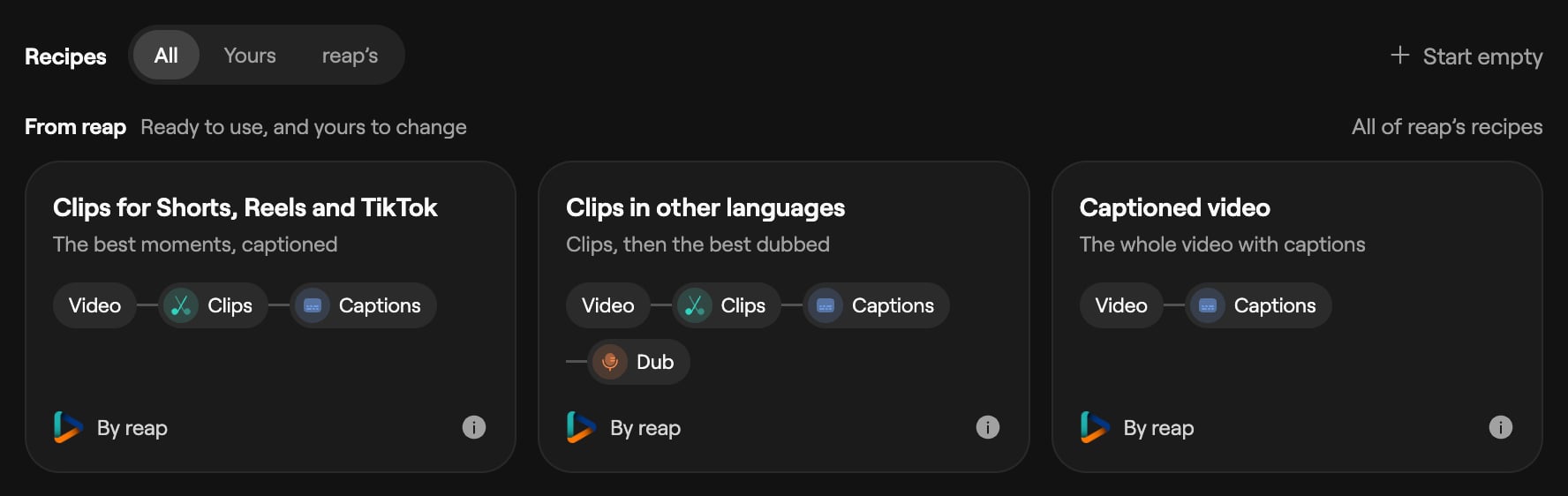
Build it opens on the recipe gallery, under the heading “Build it step by step”.
Each recipe card shows its name, a one-line description, and the steps it runs as a chain of pills — for example Video → Clips → Captions. The ⓘ on the card shows the steps in full before you commit to it.
Reap’s own recipes include:
- Clips for Shorts, Reels and TikTok — the best moments, captioned.
- Clips in other languages — clips, then the best of them dubbed.
- Captioned video — the whole video with captions, no clipping.
Reading The Flow
Choosing a recipe replaces the gallery with Your flow, which names the recipe it came from. The flow reads left to right, starting from your video: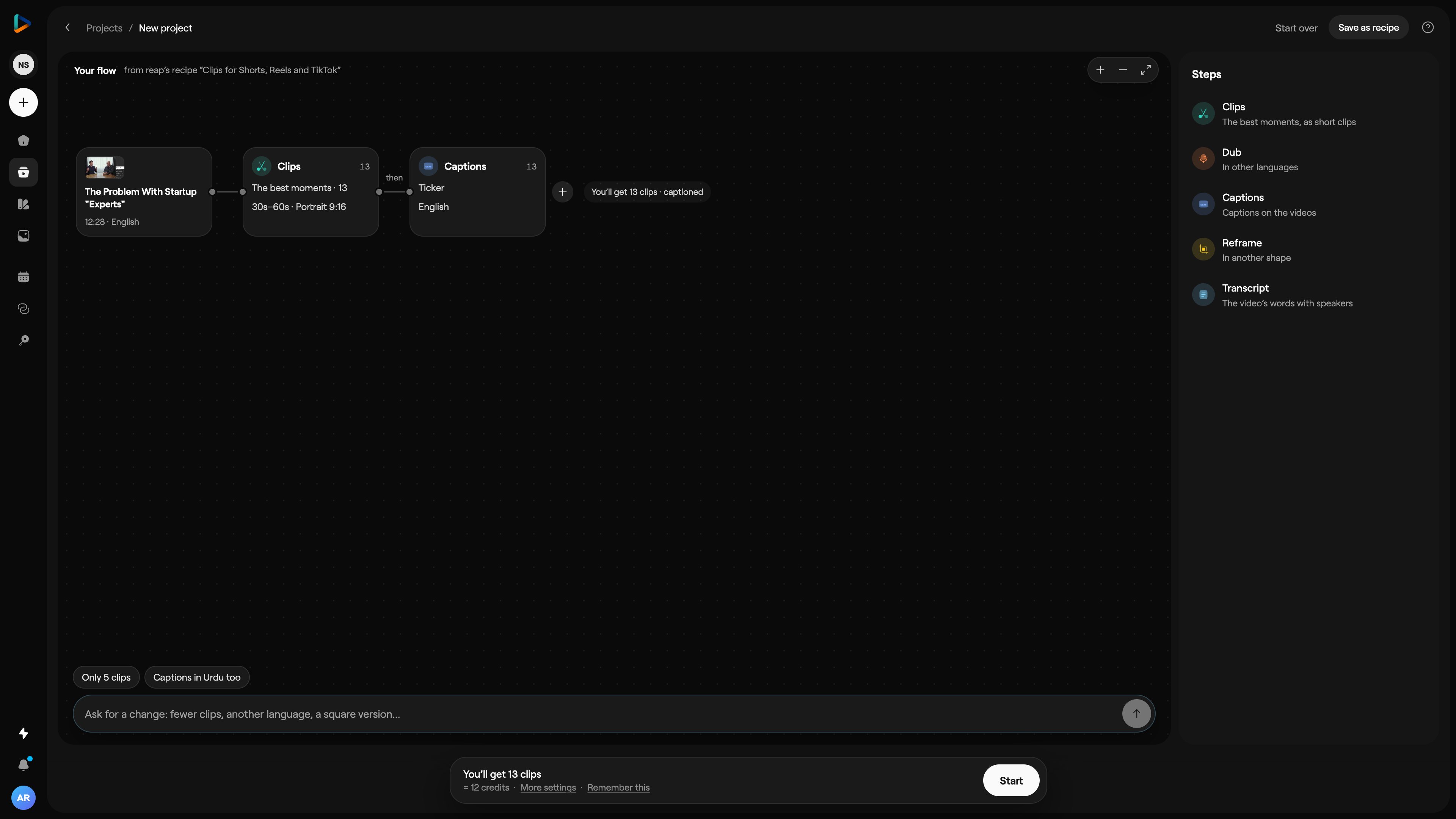
When a flow is open, the Build it / Describe it / Simple switch is replaced by Start over and Save as recipe. Use Start over to go back to the gallery.
Moving Around The Canvas
The flow sits on a canvas you can work on: drag a step to move it, drag the background to pan, and use Zoom in, Zoom out and Fit to view at the top right.Adding Steps
Every layout has a + at the end of the line for adding what comes next, and a + between any two steps for inserting one in the middle. On a wide window you also get a Steps list down the right — Clips, Dub, Captions, Reframe, Transcript — as a second way in. Reap only offers steps that can actually follow where you’re adding them, so the flow always matches what will be made.Then And Also
The + at the end of a line offers two kinds of addition. This distinction is the heart of Build it: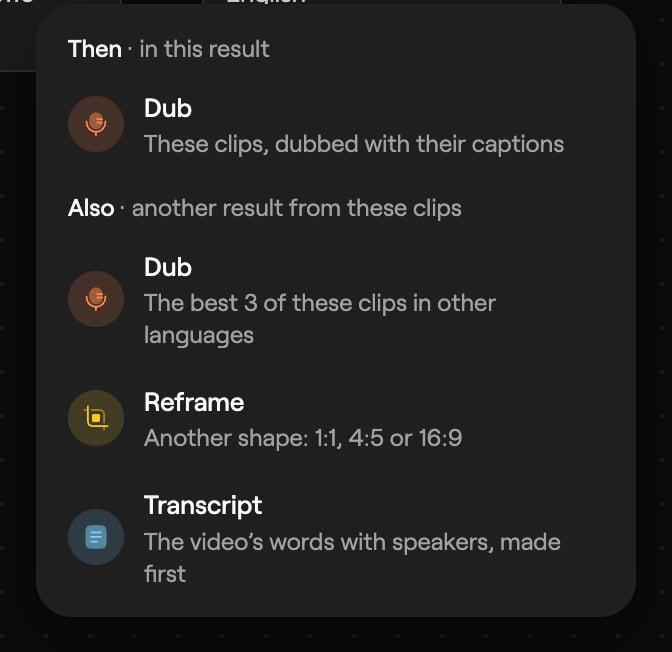
Joining And Cutting Lines
You can also wire steps up directly. Drag from a step’s output dot to another step to make that step run on the first one’s videos. Drag to an empty spot instead and Reap opens the menu of what can follow there. Cutting a line takes that step, and everything after it, out of the request. The steps stay on the canvas marked Not connected, so nothing is lost — draw a line back to them and they count again.Asking Reap To Change The Steps
Below the canvas is a box reading “Ask for a change: fewer clips, another language, a square version…”, with suggestion chips beside it such as Only 5 clips or Captions in Urdu too. Type a change in plain language and Reap rewrites the flow for you. One Undo takes the change back, so it’s safe to try.Saving It As A Recipe
Save as recipe keeps the steps — but not the video or anything specific to it — so you can run the same shape of request on something else later. See Recipes.Starting The Request
The bar at the bottom shows what you’ll get, roughly what it will cost in credits, More settings, Remember this, and Start.Related
The Create Page
Picking a video and the three ways to ask.
Describe it
Say it in words instead.
Recipes
Save a request and reuse it.
Reap Credit System
How the estimate is worked out.