

For AI agents: a documentation index is at /llms.txt. Every page is also available as markdown, just append .md to the URL.
Overview
If a captioned word is incorrect, you can fix it directly from the transcript options inside the editor.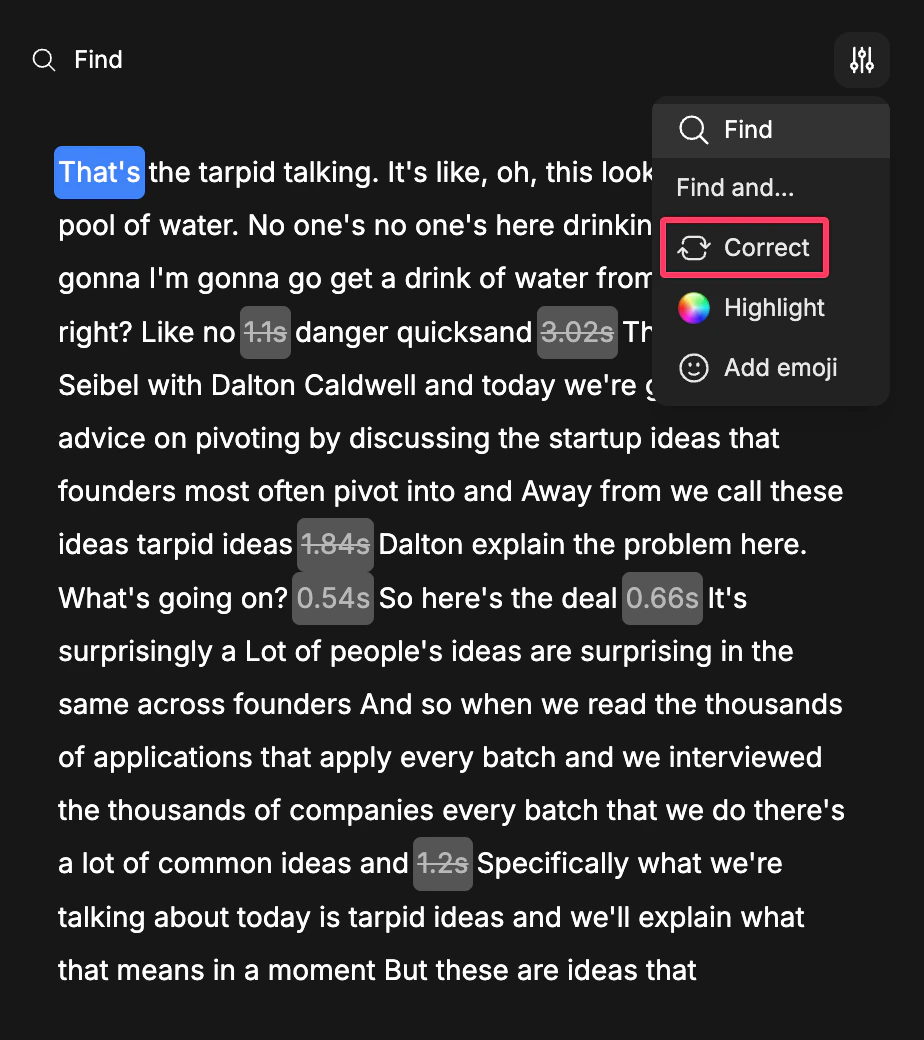
Step-By-Step Workflow
1
Open your clip in the editor
Open the clip in the editor.
2
Open transcript options
Click the word or transcript section you want to fix.
3
Choose Correct
Use the transcript options and choose Correct.
4
Update the word
Enter the corrected word and review the result in the preview.