> ## Documentation Index
> Fetch the complete documentation index at: https://docs.reap.video/llms.txt
> Use this file to discover all available pages before exploring further.
# How to find and correct the words in captions?
> Correct words directly from the transcript options inside the editor.
> **For AI agents:** a documentation index is at [/llms.txt](/llms.txt). Every page is also available as markdown, just append `.md` to the URL.
## Overview
If a captioned word is incorrect, you can fix it directly from the transcript options inside the editor.
 ## Step-By-Step Workflow
Open the clip in the editor.
Click the word or transcript section you want to fix.
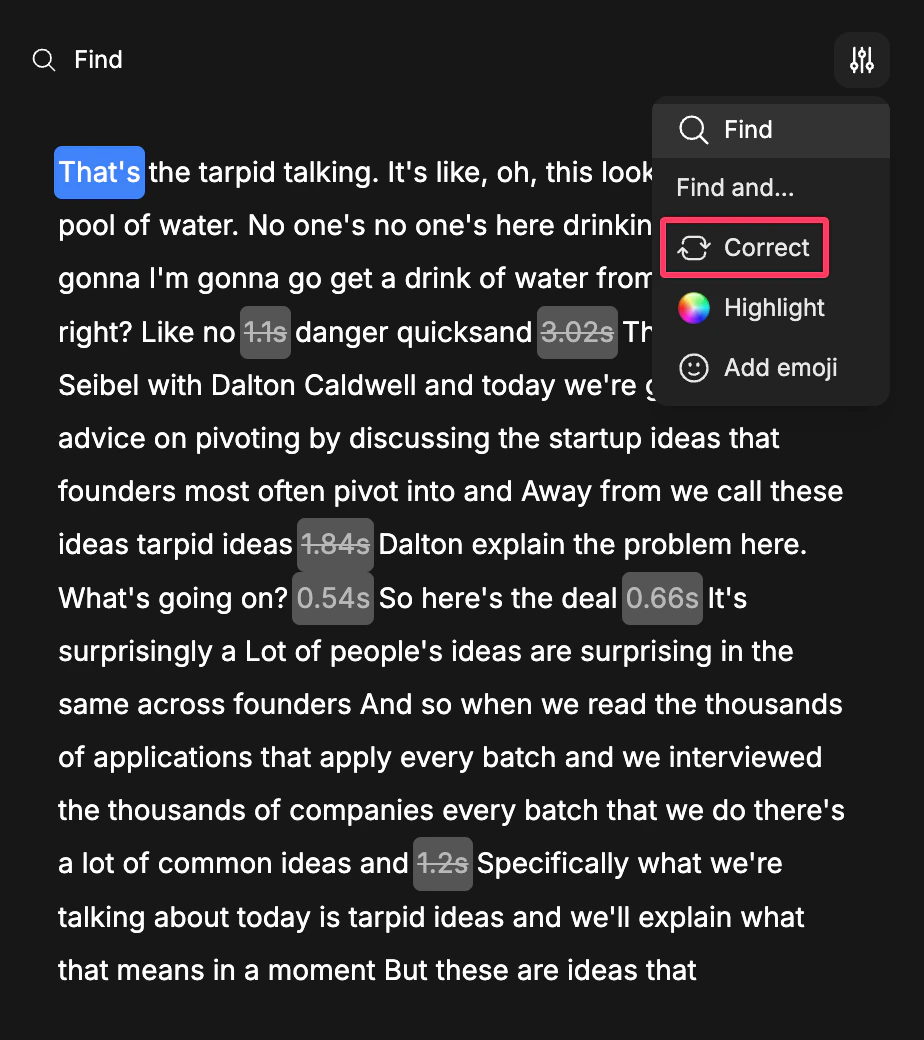
Use the transcript options and choose **Correct**.
Enter the corrected word and review the result in the preview.
## Step-By-Step Workflow
Open the clip in the editor.
Click the word or transcript section you want to fix.
Use the transcript options and choose **Correct**.
Enter the corrected word and review the result in the preview.